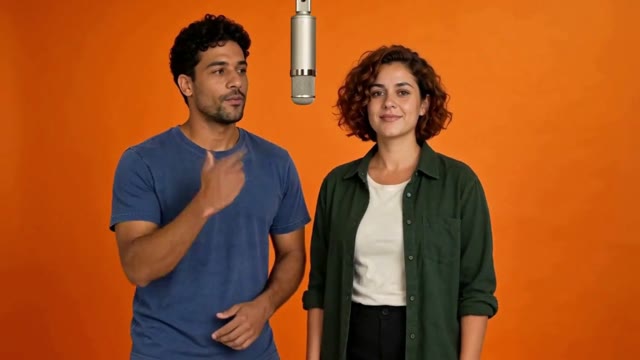
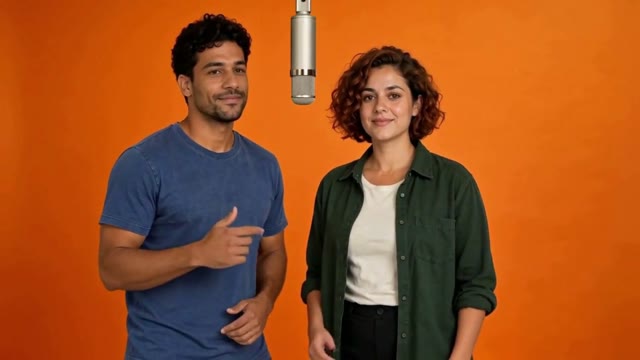
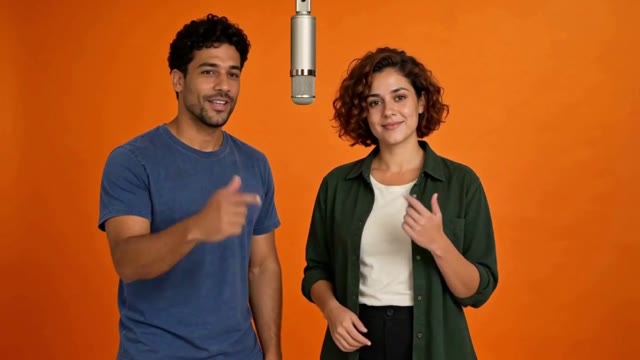
The Hotel Lobby AI trend takes its cue from Quavo and Takeoff’s COLORS performance: an orange room, one suspended microphone and two people playing off each other. Cast your own duo in that familiar exchange.
Choose the cast, then let the prepared performance guide the exchange.
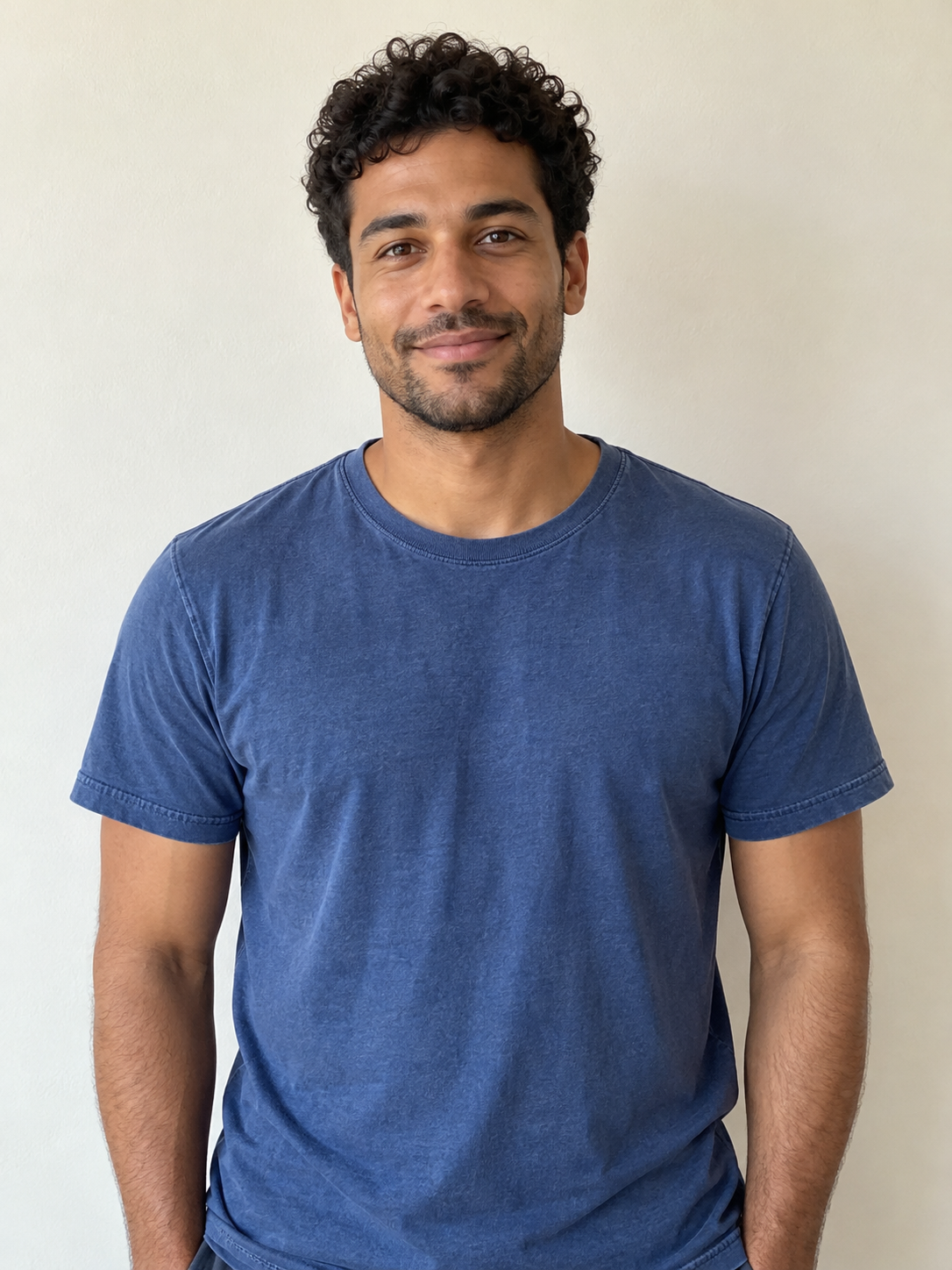
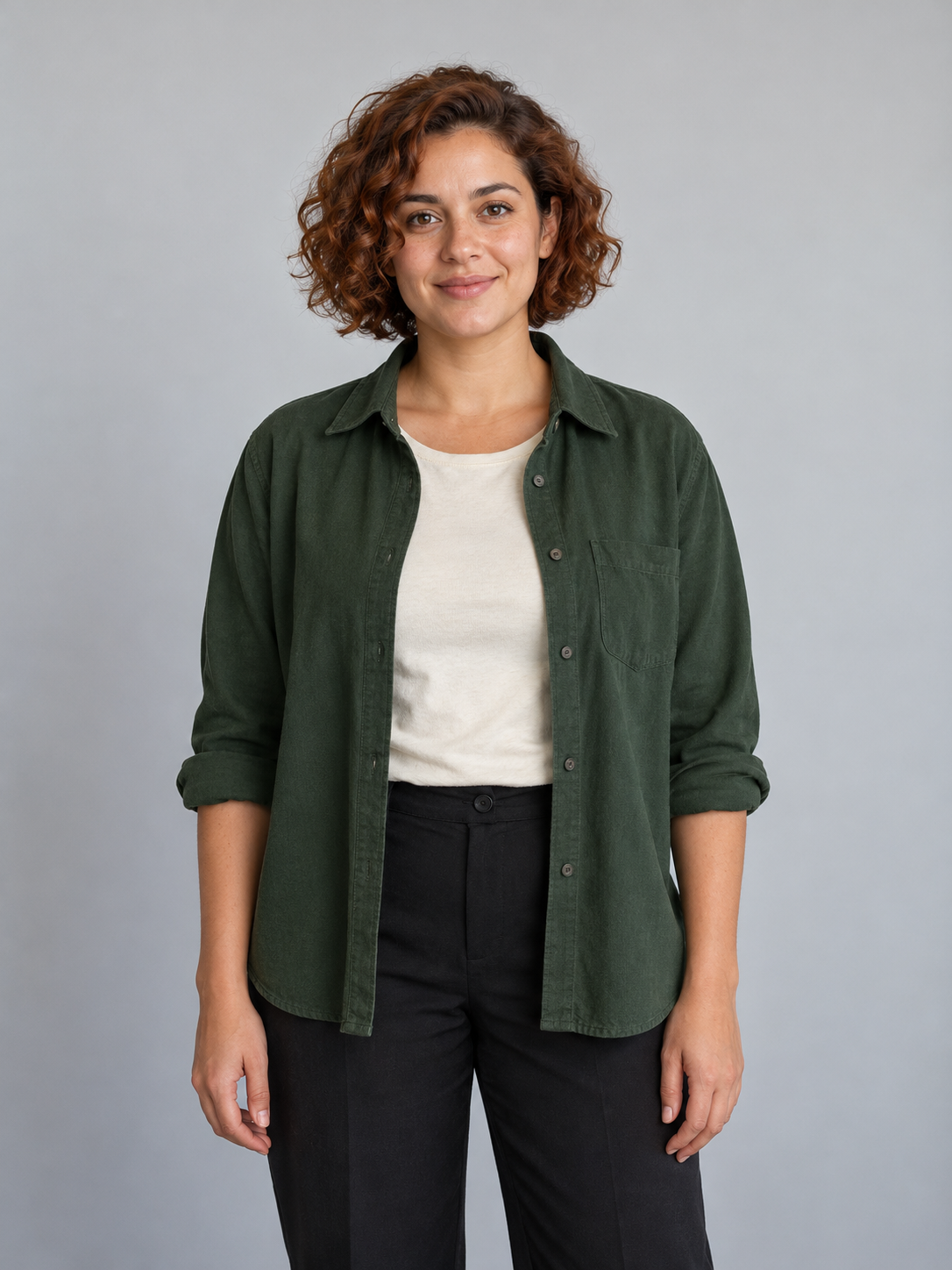
Left performerRight performer
Give each person a place.
These are the two fictional portraits used in the example. The blue T-shirt stays on the left; the green overshirt stays on the right. Use one clear image for each person so the intended pairing is easy to follow.
Show each face and the clothes you want represented.
Choose separate portraits with clear, even light.
Use Swap sides before continuing if you want the other order.
Preview the original performance and soundtrack at each length. Every option begins at the same moment. Choose how long you want your duo’s take to run.
A short exchange: one performer reacts while the other points toward the camera.
The original performance and sound. Your two photos cast a new duo.
Give both performers their moment.
The left performer takes the vocal. The right stays silent, reacting with head turns and hand gestures. The reference guides the timing while each photo guides a different look.
The pair in positionThe left performer takes the leadThe exchange continues
Frames from the five-second template example. Review the full video for faces, hands and mouth movement; results vary.
Who’s your other half of the act?
A familiar setup, with a pairing that makes it yours.
The group-chat duo
You and the friend who always has the next line. Turn two ordinary portraits into a performance to send back to the chat.
“Us after finally agreeing on dinner.”
A couple’s cameo
Make a birthday reply, a trip announcement or a playful anniversary clip with the two of you sharing the microphone.
“Our first joint appearance.”
Your original cast
Bring two original adult characters into the same room. Use distinct portraits and outfits so their different personalities read in the frame.
Two portraits, a few choices and a performance to make your own.
01
Cast left and right
Choose one portrait for each side of the mic. Use photos of yourself or people who agreed to appear. Swap the positions if you want.
02
Choose your take
Select 5, 10 or 15 seconds and HD or Standard. Continue to Clico with both photos and their order saved through sign-in.
03
Review the duo
Check the credit estimate and generate. Watch both performers, their hands and the sound through the full result, then download your MP4.
Before you take the mic.
What is the Hotel Lobby AI trend?+
It recasts the orange-room performance of Hotel Lobby by Quavo and Takeoff on A COLORS SHOW. Two people share a hanging microphone, gesture and react to each other. In Clico, your two photos guide the new performers while the prepared video guides the performance.
How many photos do I need?+
Use two different photos, one person per image. The first upload takes the left position and the second takes the right. This preset does not assign both performers from one group photo. Crop separate portraits first if you only have a photo together.
Can I choose who stands on the left and right?+
Yes. The upload boxes are labelled Left performer and Right performer. Use Swap sides to exchange them before continuing. The photos are passed to Clico in that order. The left performer takes the vocal; the right reacts with a closed mouth. Check both roles in the finished result.
What kind of photos should I use?+
Choose clear, well-lit portraits with each face and upper body visible. Include the clothes you want represented. Avoid covered faces, heavy filters and group photos. Use a JPG, PNG or WebP up to 8 MB for each person.
Does the downloaded video have the Hotel Lobby sound?+
The finished MP4 uses the original recording from the prepared COLORS performance for your selected length. It does not recreate either uploaded person’s voice. AI mouth movements may not match every word; watch and listen through the result before sharing.
Can I make a Hotel Lobby AI video for free?+
You can watch the example and prepare your photos for free. Creating a video requires a paid Clico plan and uses credits. Review the estimate before starting. Each new generation uses credits, including another take with the same photos.
What duration and format will I get?+
Choose 5, 10 or 15 seconds, with 5 seconds selected by default. Every option uses the same orange-booth setup and soundtrack starting point. The MP4 is landscape, 16:9, so both performers fit in view. Choose HD or Standard quality. Ask Clico for a separate vertical reframe after reviewing the result.
Will both people look exactly like their photos?+
The photos guide the faces, hair and visible clothes; the reference guides the movement. Faces, hands, clothing and details can vary. Watch both people across the complete clip, especially during turns or when a hand crosses a face.
Will my photos survive signing in or upgrading?+
Both photos, their order, the selected length and quality carry into Clico as a saved draft. Continue after signing in or return to the draft after billing. Returning does not start a generation automatically.
Do I need the original video or a prompt?+
No. The orange-room performance is prepared for this preset. Add the two portraits, choose the length and quality, and continue to Clico. The built-in template supplies the microphone, room and performance direction.
Can I change the room, song or camera?+
This preset follows the prepared Hotel Lobby performance. For a new location or action, use Clico’s AI video generator. You can continue with a finished result in Clico to request titles, a different soundtrack or a new frame; further creation and editing use credits.
Can I post my duo video on TikTok or Instagram?+
Download the finished MP4 from Clico. Use your own photos or photos you have permission to transform, and check the footage and music rights for your intended use. Follow the platform’s rules for AI content. This is an independent Clico tool with no artist or COLORS affiliation or endorsement.