
How to Make aTiny Desk AI Video
Learn the story behind the Outstanding meme and make your own performance from photos.
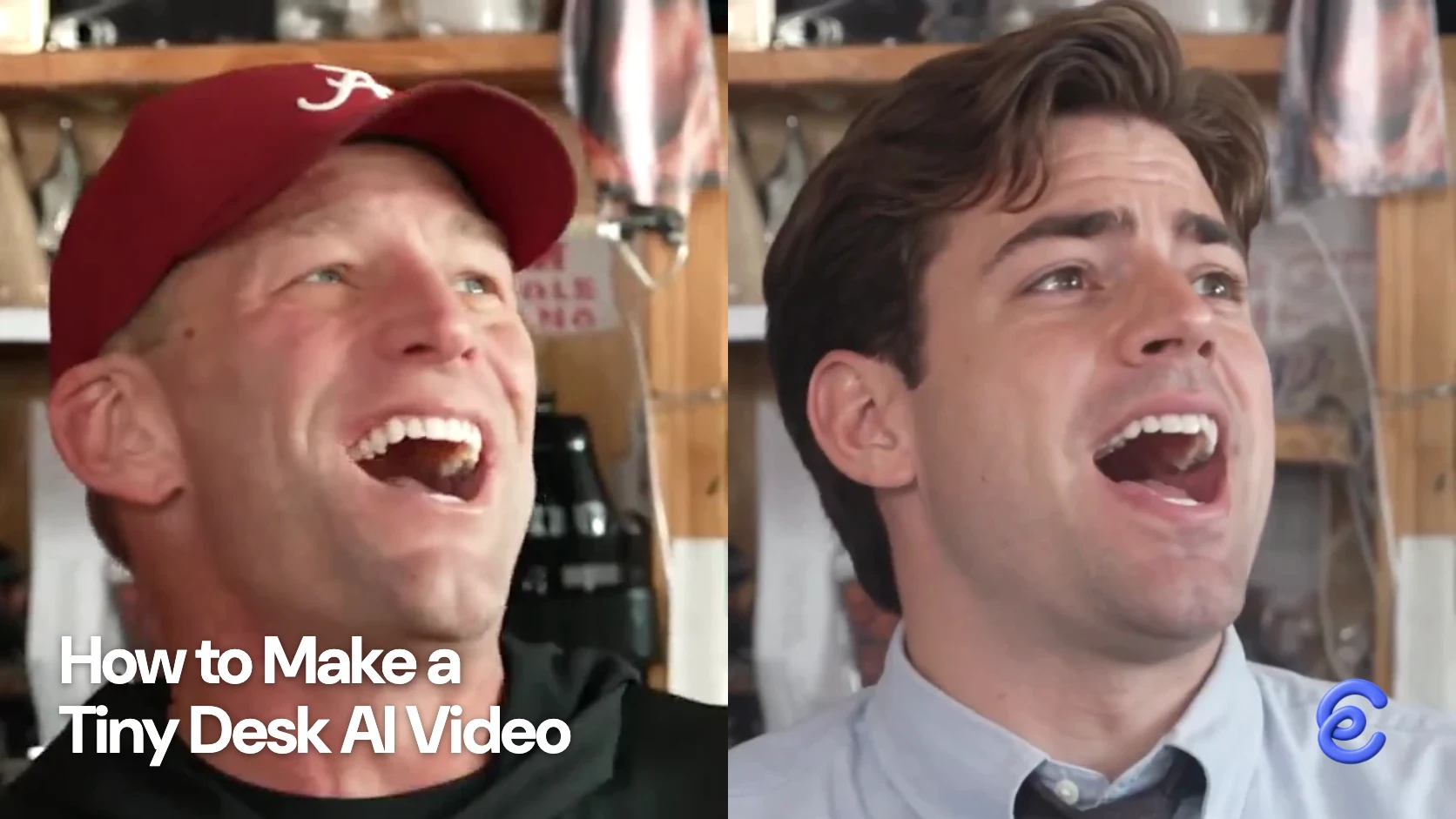
The Tiny Desk AI trend puts new faces into a short version of Charlie Wilson’s NPR performance of “Outstanding.” With Clico’s Tiny Desk template, use one portrait for the lead or five portraits for the full band, then review the request before generating. Explore more performances in our face swap templates.
The appeal is the contrast between an intimate, familiar concert setting and the unexpected people performing in it. The best photo choice depends on the role: a recognizable face matters for the lead, while a group version also needs five distinct portraits that make sense together.
Where the performance comes from
Charlie Wilson performed at NPR Music's Tiny Desk Concert, published June 5, 2023. Wilson was the lead singer of The Gap Band, whose song “Outstanding” appears in the performance. Interlochen Public Radio's account describes the concert and its musical context.
The AI versions borrow the recognizable performance setting and let people imagine themselves or friends in a band. The original concert is worth watching first: the musicians, close room and live energy explain the reference more clearly than a still image can.
How five coaches became an AI band
In October 2026, creator Jake Whipple used that concert to make a video featuring five college football coaches whose teams had lost. He told Sport & State that he cropped a concert excerpt vertically, supplied photos of the coaches to Higgsfield and assigned them to the performers. He chose Alabama coach Kalen DeBoer as the enthusiastic lead. The original clip also featured a saxophonist, so Whipple added Notre Dame coach Marcus Freeman to the cast. Three of the other coaches belonged to Nick Saban’s coaching tree. Their shared losses gave the casting a reason to work together as a joke.
Whipple told the interviewer that he began with a 30 second excerpt and that the finished video ran 19 seconds. He estimated about 30 minutes for the whole process, including finding images and editing; that timing describes his particular Higgsfield workflow, not a Clico generation estimate. The article embeds reactions on X and reported more than two million TikTok views at the time of its October 22 interview. That is a dated report about this particular video, not a count of the entire trend. Whipple's casting shows why the format travels: a familiar performance becomes a new joke when the audience recognizes the people and their shared context.
Pick a solo performance or a band
Choose Just me when one person is the joke or the focus. A clear portrait with the face visible gives the generator a useful starting point. Avoid a group photo where the intended performer is difficult to distinguish.
Choose Our band when the relationships between performers matter. The current Clico page asks for five photos: lead, keyboard, saxophone, backing left and backing right. I would decide the cast before uploading, especially which person should be the lead. Use portraits where each face is clear and has enough room around it to remain recognizable in the generated scene.
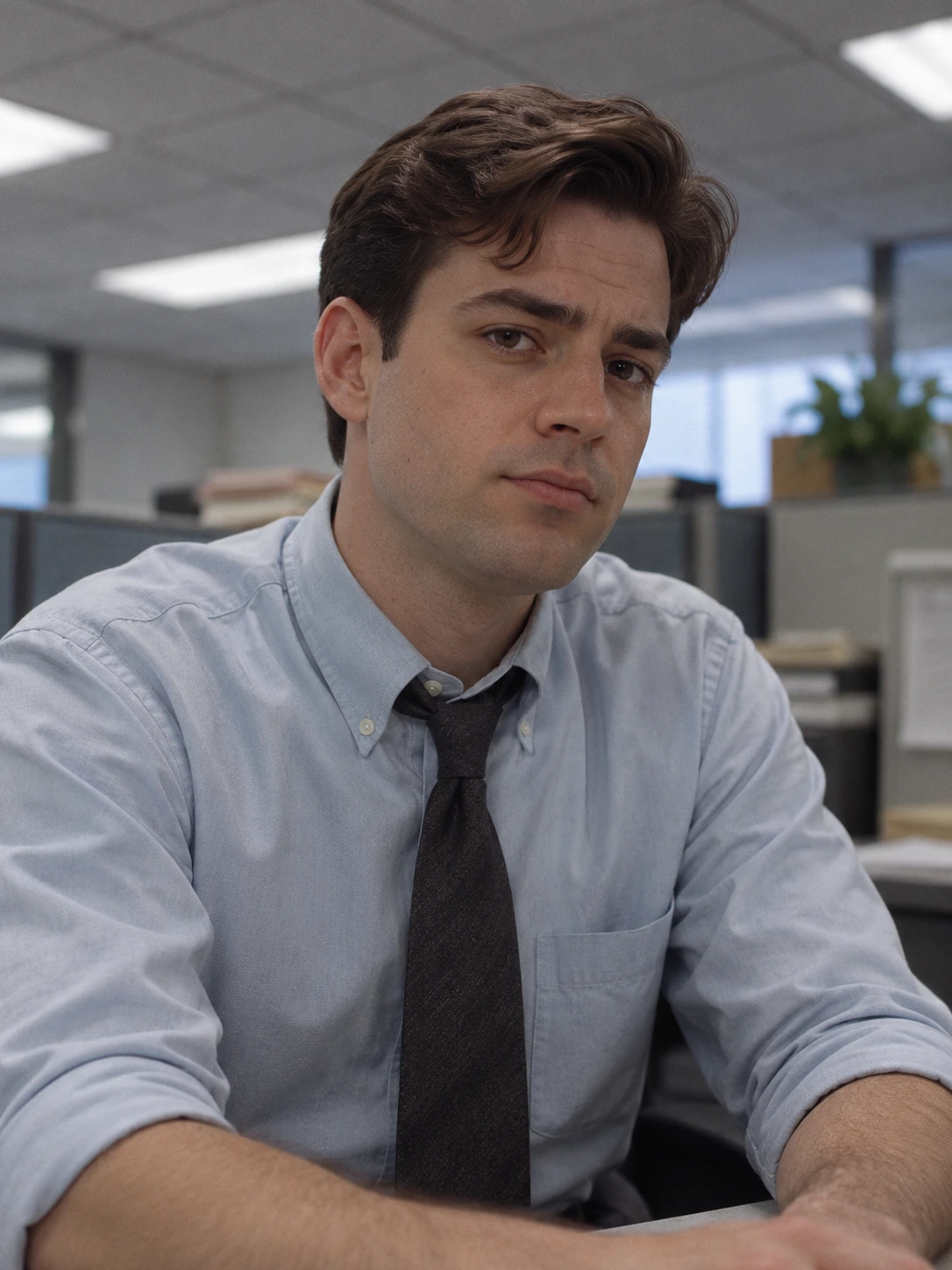
In this earlier Clico solo example using the published v6 video, the opening retains the reference band, then the lead appears in a close up wearing a blue shirt and dark tie. The bookshelf setting stays recognizable. The example uses a historical version of the workflow, so it shows one result rather than guaranteeing how a new request will look.
Prepare the five roles before uploading
For a band, gather each portrait separately and name the files for their intended roles. Put the most recognizable person in the lead if the reveal depends on that face. Choose distinct people for keyboard and saxophone, then assign the two backing positions deliberately: swapping left and right can change the joke if the relationships between the people matter.
Check each photo at phone size. A face that is clear on a laptop can become hard to recognize in a small group video. Pick a different photo if a face is hidden behind hair, hands or another person. Keep the originals so you can revise one role without losing track of the cast.
Make your version in Clico
Open Tiny Desk, select Just me or Our band, and add the requested photos to their roles. Check the role beside each uploaded portrait before choosing Open in Clico. If two people have similar photos, use the filename to confirm that the lead and instrument roles have not been swapped. Sign in, check the generation quote and settings, then send the request when you are ready. The page describes a 15 second vertical video with a reference audio track.
You can buy a credit pack once without subscribing. Packs start at $9.90 for 1,000 credits, and unused purchased credits remain available for 12 months without automatic renewal. The pack price is not the price of one video: check the estimate for your selected request in Clico before generating.
Review the finished performance
Play the first result with sound and compare the lead and each band member with the assigned photos. Watch faces during turns, hands near instruments and the transition from the opening to the final moment. Listen for whether the reference track plays as expected and whether the mouth movement suits the moment. The output is a generated performance, so do not present it as footage of the people actually playing.
If one person is unrecognizable, first check the original portrait and its role assignment. A clearer image may be more useful than changing every photo. If all five faces are important, allow for another attempt and inspect its quote before sending it.
When a template is the right starting point
A prepared template is convenient when you want this particular ensemble and reference track. If you need your own performance, different timing or a specific original setting, record or license the source footage and use a workflow that accepts that material. A motion transfer or video editing tool such as Higgsfield Genjutsu addresses a different job: you must supply the reference and inspect what the resulting scene preserves. Choose the template for its prepared performance; choose your own source when control over that performance is essential. Our guide to Higgsfield Genjutsu alternatives compares tools for those different jobs.