
How to Make a Hotel LobbyAI Video With Your Photos
Put two portraits in the orange Hotel Lobby booth. Choose the left and right performers and see how they move in the finished clip.
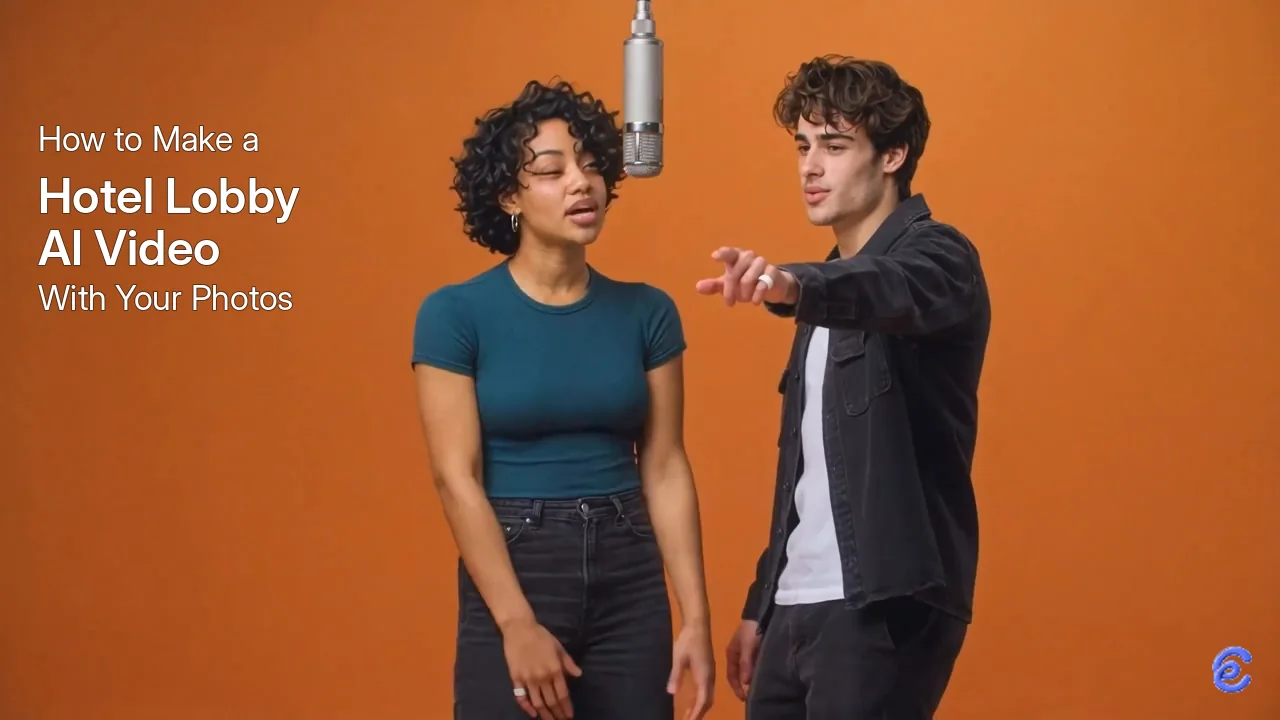
To make a Hotel Lobby AI video, upload two separate portraits to Clico and assign one to each side of the hanging microphone. The template supplies the orange booth, the performance and the reference soundtrack. The default take is five seconds in landscape format.
I used two characters whose photos showed only their upper bodies. I wanted to see whether I could still recognize both people as they turned toward the mic, and whether the two portraits would read as one performance.
What makes the Hotel Lobby scene recognizable
The setup comes from Quavo and Takeoff performing “HOTEL LOBBY” on A COLORS SHOW. The orange background and the single suspended mic put both performers in the same shot. In a recreation, each person follows the movement of their assigned role. That makes picking the left and right positions part of casting the scene. COLORS on the performance and AI remix
Cast the duo and make the video
Put one portrait on each side
Open the Hotel Lobby template. Add one person under Left performer and a second under Right performer. In my test, the woman in the teal shirt went on the left and the man in the black jacket went on the right. Swap sides exchanges the assignments while keeping both uploads.
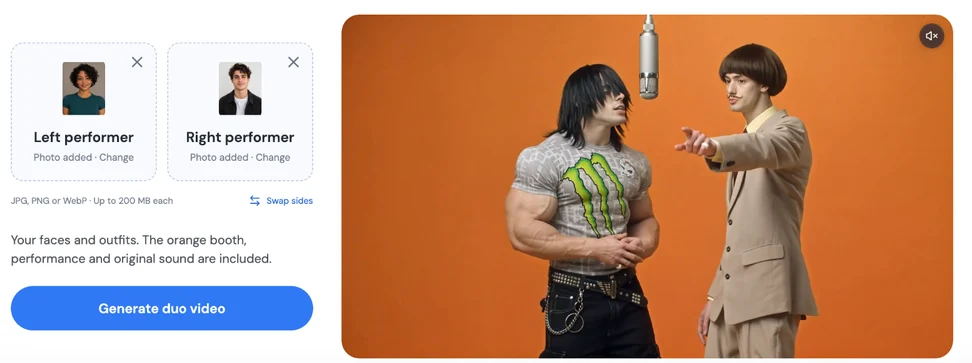
Check the prepared duo request
Select Generate duo video to open the request in Clico. Sign in if prompted and check that the two portraits are attached in the expected order. In my test, the prepared prompt asked for a five second take and placed the first photo on the left and the second on the right. I kept those instructions and used Wan 3.0 Prime.
Watch both performers before downloading
My run took 14 minutes and 3 seconds. The resulting five second MP4 was 1280 × 720 at 30 frames per second. I played it in the conversation before downloading. With a clip this short, it was easy to watch one performer on the first pass and the other on the next.
What carried over from the two portraits
Both characters appeared on the sides I had assigned. The woman turned toward the mic and moved her hands. The man pointed toward the camera and glanced toward her. Her curls and teal shirt and his black jacket and white shirt made the two easy to distinguish.
The template filled in the lower parts of their outfits from the upper body photos. The booth and mic stayed in place, although some hand movements looked stiff near the end. The five second sample was too short for me to judge lip sync across a longer performance.
For another take, I’d make the casting decision before spending credits. Give the two people different clothing or silhouettes so you can still tell them apart when they turn away. If you’re choosing another scene for the same duo, browse the examples in viral video templates and check which ones have a role for each person.
Frequently asked questions
Can I put myself on both sides of the mic?
The uploader requires two different image files. You can try two distinct photos of yourself and assign each to a side. My test used two different characters.
Can I use one photo that already shows both people?
Prepare a separate image for each slot. If you start with a photo together, crop each person into a separate image and leave enough room for their face, shoulders and clothes.
Do the photos need to show the whole outfit?
Upper body portraits worked for my take. Clico filled in the lower outfits. If a particular pair of trousers or a full costume matters to the scene, include more of it in the reference photo.
How do I fix the left and right positions?
While the photos are still on the template page, use Swap sides. If a finished take puts someone in the wrong position, check the order of the source portraits before starting another generation. Replay the new clip and check each person against the side you assigned.
Can I make a longer Hotel Lobby video?
Clico’s Hotel Lobby template offers five, ten and fifteen seconds at 480p or 720p. The default is five seconds at 720p, which is the setting I tested. Choose a longer take when you want more of the exchange between the two performers.
Can I change the song before posting?
You can replace the soundtrack in an editor after exporting. Play it back with the new track and check the mouth and hand movements against the beat. If you plan to publish the clip, check the sharing terms for the audio you use.
Is it free to try the template?
You can preview the scene and arrange the two photos before generating. The generation itself uses Clico credits. Check the estimate for the duration and resolution you choose.