
How to Make an Özil Goal AIVideo With Your Own Photo
Recreate Özil’s chip and finish with one photo. Learn how to frame the scorer and check the entire play in the vertical MP4.
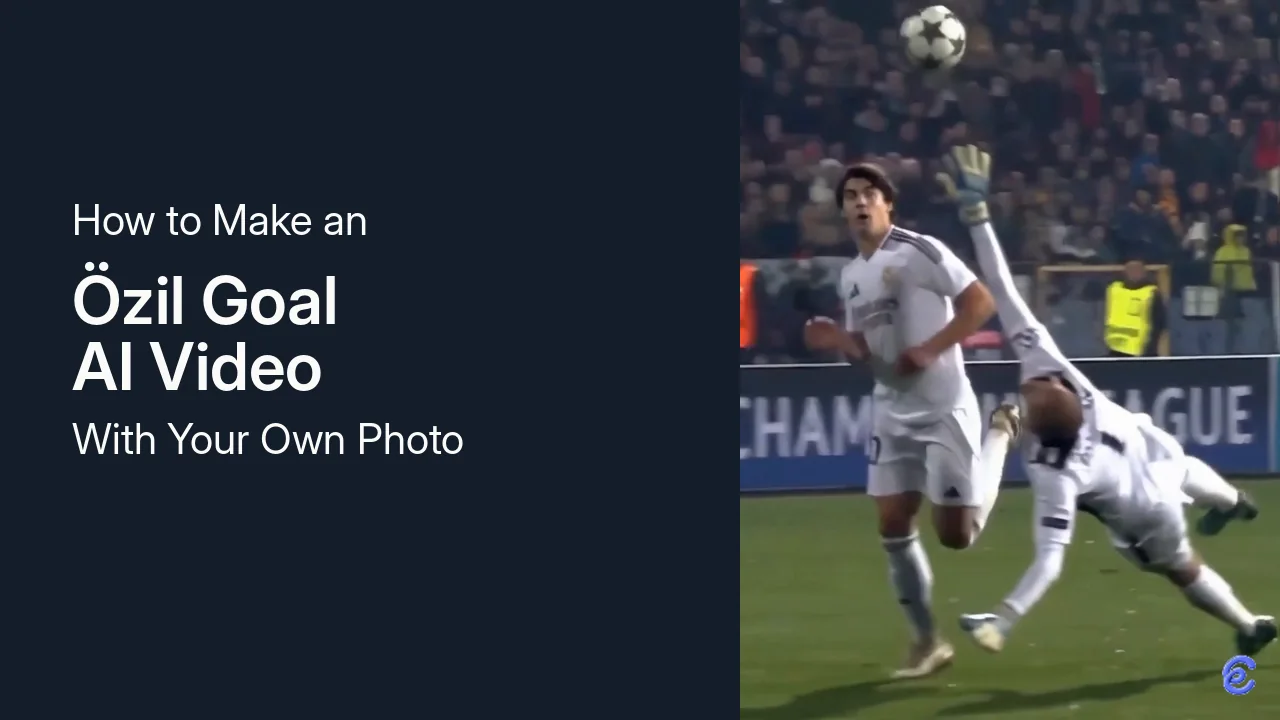
To make an Özil Goal AI video, upload one photo that shows the scorer’s face, outfit and shoes. Clico’s template provides the goal reference for the chip, the run past the defenders and the finish. The preset makes a vertical clip with reference sound.
I tried it with a fictional player in a white football kit. The shirt and shorts helped me identify him in the wide shots. I also watched the ball closely to see whether the sequence looked like one continuous play.
Which Özil goal does the template follow?
On November 1, 2016, Mesut Özil scored the winner as Arsenal came back to beat Ludogorets 3 to 2 in the Champions League. He lifted the ball over the onrushing goalkeeper, got past two defenders and finished. Those beats make the play recognizable when someone else is cast as the scorer. UEFA match report
Put your photo in the goal sequence
Use a photo that includes the boots
Open the Özil Goal template. Upload a clear photo of one person from head to toe. Use a shot where you can see the legs and shoes, since the camera follows the scorer through several wide views of the pitch.
I used ChatGPT to make a fictional player in a white shirt, shorts, socks and boots. The template showed Your scorer is ready next to the selected photo. The goal reference was already included below it.
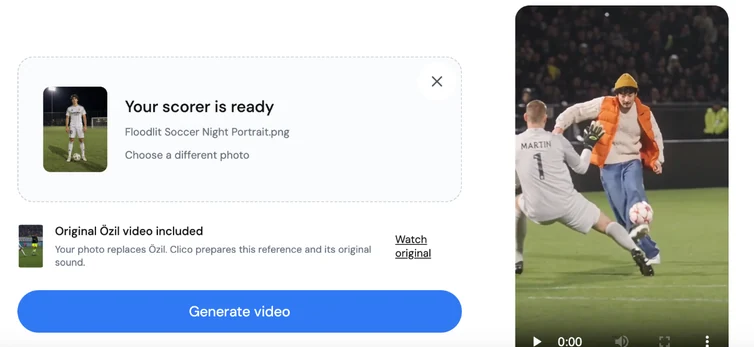
Open the goal request in Clico
Select Generate video and sign in if prompted. Check the photo and prepared goal request in the workspace. In my test, Clico carried over the scorer photo and a prompt asking it to follow the full play and keep the reference sound. I left that prompt and Wan 3.0 Prime selected.
Play the whole sequence before saving
My result took 6 minutes and 27 seconds. The MP4 was about 15 seconds, 720 × 1280 at 30 frames per second. It was already vertical, so I could review it on a phone at its original framing.
Watch the chip, then follow the ball as the scorer moves past the defenders. Finally, check that the last touch and the finish read as one sequence. If you only jump to the goal, it’s easy to miss an awkward touch earlier in the clip.
What the white kit revealed in my test
The generated player kept the white outfit, and I could make out the number 10 on his shorts in several shots. The pitch, crowd and defenders gave the action a match setting. His face was easier to recognize at close range. In the wider and faster shots, the outfit did more of that work.
The chip and finish were recognizable in my take, but some ball touches and defender interactions looked less natural. I’d keep the full play if the ball still reads clearly at phone size. If one touch breaks the sequence, I’d check that moment before deciding whether to run it again.
If you want to recast a different sports moment next, look at the sports examples in viral video templates. Play the sample first and check which role the photo fills. A goal and a celebration give the person very different things to do.
Frequently asked questions
Can I use a different football goal?
This preset follows Özil’s play against Ludogorets. For another goal, start with a video workflow that accepts your own reference and choose the clip that contains the complete move you want.
Can I replace the goalkeeper or a defender?
The photo slot is for the scorer. The goalkeeper, defenders and pitch come from the reference sequence. A recreation that recasts several players needs a workflow with separate roles for them.
Does the scorer have to wear a football kit?
Everyday clothes can work. Clico’s public example uses a scorer in an orange vest, jeans and a yellow beanie. A distinctive outfit helps you find your player when their face is small on screen.
What if my scorer’s photo will not upload?
Use a JPG, PNG or WebP up to 200 MB. Open it on your device first to confirm it displays. Then add it again and check for Your scorer is ready before you continue.
Do I need to crop it for TikTok or Reels?
The preset already gives you a 9:16 clip. If you add text, check its position while the ball rises over the keeper and again near the finish. Keep the text clear of the play.
What should I check before sharing the result?
Play it with sound and check the last touch, the finish and the audio. If you post it publicly, identify it as an AI recreation and check that you can use the footage and soundtrack you’re sharing.
Does the goal template use credits?
Generation uses Clico credits. Check your balance and the estimate Clico shows for the request before confirming a take. My run was on a Max account.