
AI UGC Video Generator
Turn a product photo into a video ad with a script or your own voice.
From product photo to video ad
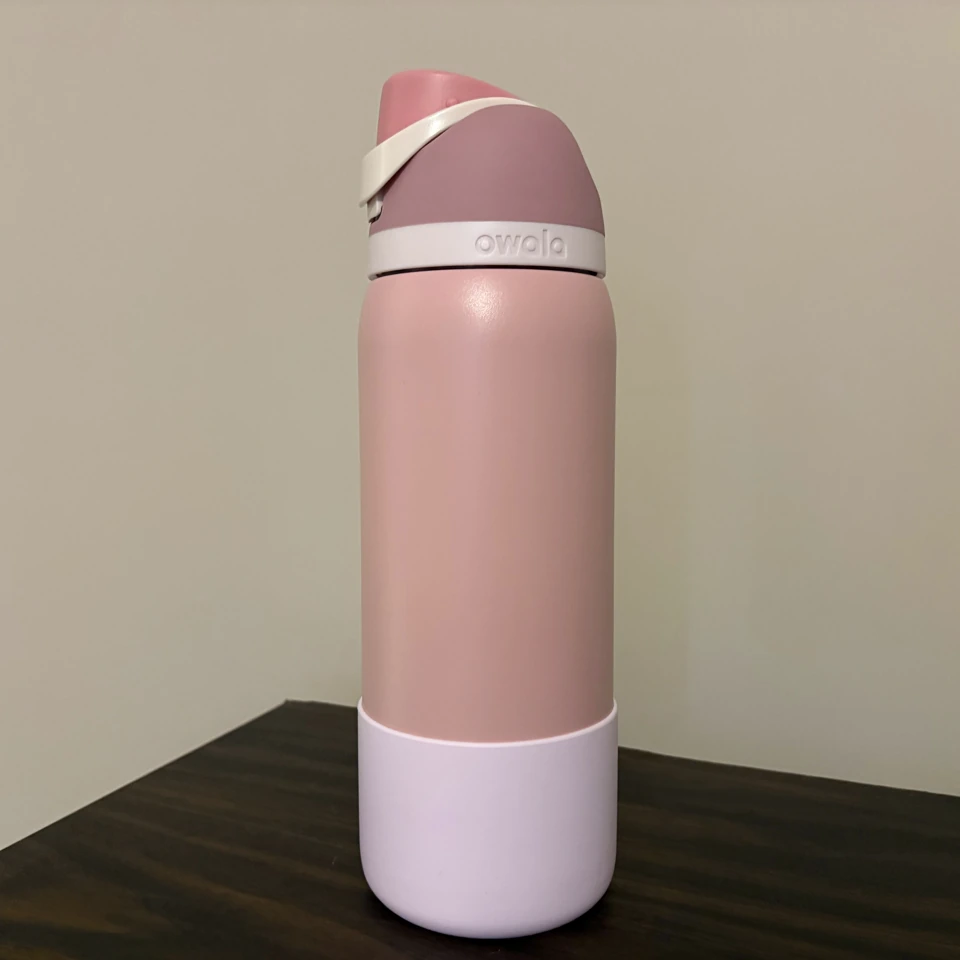
The Owala example started with one product photo and one line about the carry loop.
“Flip up the loop and take it with you.”
Start with a product photo
Use a clear photo that shows the feature you want to demonstrate.
Give the presenter one selling point
Write a line or upload your recording. Clico can also suggest a line based on what it sees in your photo.
Make your video in Clico
Your photo and any script or recording come with you. Sign in, review the draft and send it to generate.
See how one selling point becomes an ad
Three AI video samples: show a feature, introduce a product or explain why it’s easy to take along.
Show a feature in action
The presenter flips up the carry loop and lifts the Owala FreeSip.
AI UGC video FAQs
What is an AI UGC video?
It’s an AI-generated video styled like a creator’s product demo. Start with a product photo and give the presenter one feature to show or explain.
Can I start with just a product photo?
Yes. Upload a clear JPG, PNG or WebP of your product. You can add another product angle or a presenter reference in Clico.
Can I use my own voice?
Yes. Choose Audio to upload an MP3 or WAV recording between 1 and 120 seconds. Choose Script to provide the words you want spoken.
Will my product look exactly the same?
Your photo guides the shape, color and packaging. Check small text, logos and moving parts against the real product before using the video.
Can I use the video in an ad?
Use photos, audio and brand material you have permission to use. Check the product, spoken claims and any AI disclosure requirements before publishing.
When do I use credits?
You can watch the example and add your own photo for free. Credits are used when you generate your video in Clico.
Make your first UGC video ad
Pick a product photo and the one thing you want viewers to remember.
Create your video adWant to focus on the product itself? Make a product demo.