1,000 credits
$9.90 paid once
- Use on
- Video templates and models
- Valid for
- 12 months
- Automatic renewal
- None

Cast your character in the Paint the Town Red performance. Add one photo to recreate the scene under the horn, from the mist to the final close up.
Show the face and outfit.
One character appears throughout the performance, including the wide shot on the green creature and the final close up.
Choose a credit pack for the templates you want to try.
$9.90 paid once
$15 paid once
Video costs vary by template, model, length and resolution. Clico shows the estimate and purchase options when you need more credits. Packs buy credits, rather than a fixed number of videos.
Clico prepares the performance, camera and soundtrack. One character image supplies the look for the wide shots and the close up.
Choose one character image. Clico follows the prepared performance and adds the original music to the finished video.
Show the face and outfit.
Use a clear image that shows the character’s face, body and outfit.
Select Generate video to continue in Clico. Review your photo and the credit cost before starting.
Watch the performance with sound and download the MP4 or keep editing. Continue in the AI video editor to keep working.
The scene comes from Doja Cat’s official Paint the Town Red music video, released in August 2023. The template focuses on the performance under the curved horn and the wide shot on the green creature. Sony Music release
It follows a single performer through the mist, across the wide view of the creature and into the raised arm close up. The edit ends on that close up.
Clico follows the prepared performance, camera and cuts. Your uploaded image guides the performer’s face, body, clothing and accessories through the sequence.
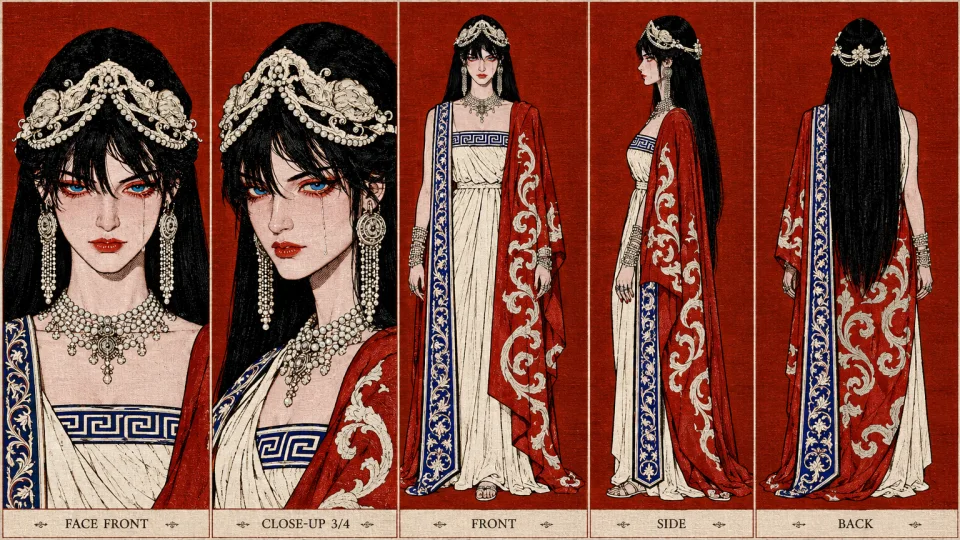
A clear full body image gives the model more detail about the face, proportions and outfit. You can also upload one sheet with several views of the same character.
Start with your character image. The template comes with the performance reference, generation settings and original soundtrack.
Clico guides the visible mouth movements with the performance video, generates the shots silently and adds the original soundtrack at the end. Mouth timing can vary between outputs.
The finished video is about 16 seconds, as a landscape 720p MP4 with sound. Clico shows the credit cost before you start.
Choose another face swap template and add your photos.
Start with one clear performer photo.